
Download MiniBrushed – Icon Pack, Desktop Customization, Free PNG Icons, Pet Characters, Digital Aesthetic
Overview
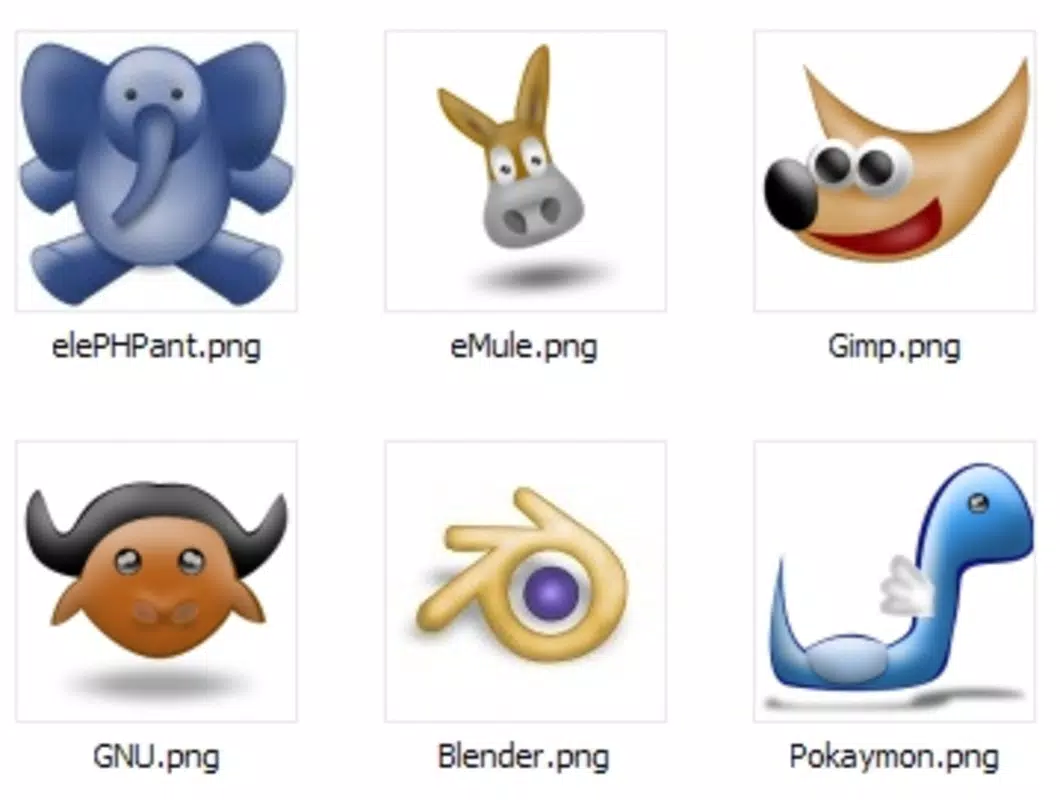
MiniBrushed presents a curated collection of iconic pet characters that have become embedded in digital culture. Designed as a free icon pack, it caters to users seeking to personalize their digital environments with nostalgic, high-quality visuals. The app serves as a utility tool for enhancing desktops, creative projects, or software interfaces with recognizable and charming figures such as the eMule donkey, Tux the Linux penguin, and GAIM's painter dog. These characters are widely acknowledged within tech communities and serve as cultural touchstones for long-time computer users.
Target users include digital artists, desktop customizers, software developers, and fans of open-source or retro tech aesthetics. The pack offers a lightweight yet expressive way to inject personality into otherwise standard interfaces. While the developer did not provide additional background, the release date of May 8, 2007, suggests a long-standing presence in the open-source and creative tool ecosystem. Its continued availability underscores its value as a timeless resource.
MiniBrushed fills a niche by combining nostalgia with practical design. It enables users to create themed folders, customize app icons, or enrich documentation with familiar imagery. The focus on PNG format and consistent 256x256 pixel resolution ensures usability across platforms without quality loss. Though not a traditional mobile app in function, its digital footprint remains relevant in the broader toolkit of personalization and creative expression.
Key Features & Functionality
- Free to Use: The entire icon set is available at no cost, allowing unrestricted personal and commercial use without licensing concerns.
- High-Resolution PNG Format: Each icon is delivered in 256x256 pixel PNG files, ensuring clarity and sharpness on modern displays.
- Recognizable Character Selection: Features iconic pets from well-known software, including the eMule donkey, Tux the Linux penguin, and GAIM’s painter dog.
- Multi-Platform Compatibility: PNG format ensures broad compatibility with operating systems, design tools, and web applications.
- Thematic Customization: Ideal for creating personalized desktops, folder icons, app interfaces, or creative projects with a retro-tech aesthetic.
Users can integrate these icons into their workflows by simply downloading the files and assigning them to folders or applications. For example, a Linux enthusiast might use Tux as the icon for their terminal window, while a file-sharing user could assign the eMule donkey to a download folder. Designers can use the set in mockups, tutorials, or branding assets to evoke a sense of digital heritage. The consistent visual style and high resolution allow seamless integration into various projects without requiring additional editing.
Interface, UX & Performance
As a static icon pack, MiniBrushed does not feature a traditional user interface or interactive elements. Instead, its functionality is delivered through downloadable files. Users access the collection via a download link or archive, which contains all icons in a structured folder. The lack of an app interface means there is no navigation flow or onboarding process, making it straightforward for users who know what they are looking for.
Performance is not applicable in the traditional sense, as the package is not a running application. However, the 256x256 pixel PNG format ensures efficient loading and minimal file size, which supports smooth integration into design software or desktop environments. Although the developer did not list formal performance metrics, the consistent format and resolution suggest reliable behavior across devices. Responsiveness is inherent in the file format, allowing immediate use on both low- and high-end systems.
Stability is maintained through the use of a standard, widely supported file type. No crashes, freezes, or bugs are associated with the distribution, as it consists solely of static images. The simplicity of the package contributes to its reliability and long-term usability. Users benefit from a no-frills experience focused purely on deliverable assets.
Platform Compatibility & Technical Requirements
MiniBrushed is designed for use on desktop and mobile operating systems that support PNG file formats. The developer did not specify minimum OS requirements or platform limitations. The file size of the entire pack is not listed, though individual icons are confirmed to be 256x256 pixels in resolution.
Given the widespread support for PNG files across Android, iOS, Windows, macOS, and Linux, the pack is expected to function on most modern devices. However, compatibility information was not fully disclosed. Users should ensure their system supports image file imports or icon replacements, particularly on mobile platforms where icon customization may be restricted by the operating system.
Although the developer did not list formal technical specifications, the use of a standard image format implies broad accessibility. No additional software or plugins are required to use the icons, making the pack accessible to users of all technical skill levels.
Pros and Cons
- Completely free to download and use
- High-quality 256x256 pixel PNG images
- Features beloved, recognizable digital characters
- Easy integration into creative and personal projects
- Wide compatibility due to standard PNG format
- Not a standalone app; requires manual file handling
- No official update notifications or version tracking
- Platform-specific limitations may apply for mobile icon replacement
- Developer did not provide detailed technical or compatibility information
- Limited to static images—no animations or interactive features
FAQ
Is MiniBrushed safe to download?
Yes, MiniBrushed is a static icon pack distributed in standard PNG format. As it contains no executable code, it poses no security risk when downloaded from trusted sources.
Can I use MiniBrushed icons in commercial projects?
Yes, the pack is free for both personal and commercial use, with no licensing restrictions mentioned by the developer.
Does MiniBrushed support mobile devices?
While the icons are in a widely supported format, the ability to use them as app or folder icons on mobile devices depends on the operating system and user permissions. The developer did not specify mobile compatibility.
Are there any updates to MiniBrushed?
The last known release was in 2007. No official update schedule or newer versions have been published. Users should verify the source for any potential modifications.
What file format does MiniBrushed use?
All icons are provided in PNG format, ensuring high-quality visuals and broad compatibility across operating systems and design tools.
Final Thoughts
MiniBrushed remains a unique and enduring resource for digital enthusiasts who value nostalgia, simplicity, and creative expression. Though not a modern mobile application in the conventional sense, its legacy as a free, high-quality icon pack continues to serve users across diverse platforms. Its charm lies in its focus on iconic digital pets and the ease with which they can be incorporated into personal and professional workflows.
Those who appreciate retro tech culture, open-source heritage, or minimalist design will find the most value in this tool. Whether used to personalize a desktop, enhance a project, or evoke fond memories of early internet days, MiniBrushed delivers consistent utility and aesthetic appeal.
Download MiniBrushed now


